
If you’ve ever needed to measure a magnetic field but weren’t sure where to start, you’re not alone. A Gauss meter is the go-to tool for checking the strength and direction of magnetic fields — but using it incorrectly can lead to misleading results. Whether you’re testing magnets, troubleshooting motors, or conducting research in a lab, knowing how to use a Gauss meter the right way can save you time and ensure accuracy. In this guide, I’ll break it down into clear, practical steps so you can confidently get precise readings every time. Let’s dive in.
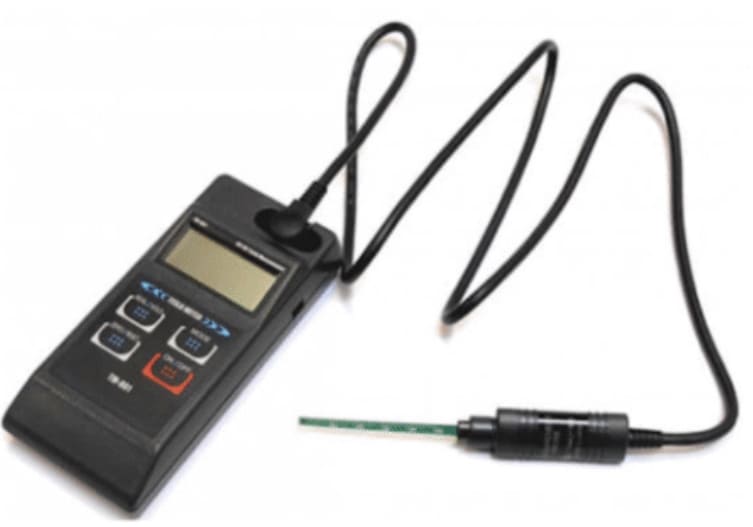
Gauss meter
Understanding the Gauss Meter
A Gauss meter is a precision instrument used to measure the strength and direction of magnetic fields. It measures ανομοιοκρατίας μαγνητικής ροής, which is the amount of magnetic field passing through a given area. This measurement can be expressed in Γκους (G) or Τέστλα (Τ), with 1 Tesla equal to 10,000 Gauss.
These devices are essential in both industrial and research settings for tasks such as testing magnets, verifying magnetic shielding, and evaluating motors or sensors. By providing accurate magnetic field readings, they help ensure product quality, system safety, and compliance with technical standards.
Types of Gauss Meters
- Handheld Gauss meters – Portable, battery-powered units ideal for field inspections or quick checks.
- Desktop Gauss meters – Designed for laboratory or production line use where stability and ongoing measurements are required.
- Hall effect sensor-based meters – The most common type, using semiconductor sensors to detect magnetic fields accurately.
- Fluxgate Gauss meters – Highly sensitive instruments used for detecting extremely weak magnetic fields.
Key Components of a Gauss Meter
- Probe or sensor – Detects the magnetic field; may be axial or transverse, depending on the measurement needs.
- Display screen – Shows real-time readings in Gauss or Tesla.
- Control panel – Used to adjust measurement settings and units.
- cURL Too many subrequests by single Worker invocation. To configure this limit, refer to https://developers.cloudflare.com/workers/wrangler/configuration/#limits cURL Too many subrequests by single Worker invocation. To configure this limit, refer to https://developers.cloudflare.com/workers/wrangler/configuration/#limits
cURL Too many subrequests by single Worker invocation. To configure this limit, refer to https://developers.cloudflare.com/workers/wrangler/configuration/#limits
cURL Too many subrequests by single Worker invocation. To configure this limit, refer to https://developers.cloudflare.com/workers/wrangler/configuration/#limits
cURL Too many subrequests by single Worker invocation. To configure this limit, refer to https://developers.cloudflare.com/workers/wrangler/configuration/#limits
cURL Too many subrequests by single Worker invocation. To configure this limit, refer to https://developers.cloudflare.com/workers/wrangler/configuration/#limits
cURL Too many subrequests by single Worker invocation. To configure this limit, refer to https://developers.cloudflare.com/workers/wrangler/configuration/#limits
cURL Too many subrequests by single Worker invocation. To configure this limit, refer to https://developers.cloudflare.com/workers/wrangler/configuration/#limits
cURL Too many subrequests by single Worker invocation. To configure this limit, refer to https://developers.cloudflare.com/workers/wrangler/configuration/#limits
- cURL Too many subrequests by single Worker invocation. To configure this limit, refer to https://developers.cloudflare.com/workers/wrangler/configuration/#limitscURL Too many subrequests by single Worker invocation. To configure this limit, refer to https://developers.cloudflare.com/workers/wrangler/configuration/#limits
- cURL Too many subrequests by single Worker invocation. To configure this limit, refer to https://developers.cloudflare.com/workers/wrangler/configuration/#limitscURL Too many subrequests by single Worker invocation. To configure this limit, refer to https://developers.cloudflare.com/workers/wrangler/configuration/#limits
cURL Too many subrequests by single Worker invocation. To configure this limit, refer to https://developers.cloudflare.com/workers/wrangler/configuration/#limits
cURL Too many subrequests by single Worker invocation. To configure this limit, refer to https://developers.cloudflare.com/workers/wrangler/configuration/#limits
Ασφαλειακές Προφυλάξεις
cURL Too many subrequests by single Worker invocation. To configure this limit, refer to https://developers.cloudflare.com/workers/wrangler/configuration/#limits
- cURL Too many subrequests by single Worker invocation. To configure this limit, refer to https://developers.cloudflare.com/workers/wrangler/configuration/#limits
- cURL Too many subrequests by single Worker invocation. To configure this limit, refer to https://developers.cloudflare.com/workers/wrangler/configuration/#limits
- cURL Too many subrequests by single Worker invocation. To configure this limit, refer to https://developers.cloudflare.com/workers/wrangler/configuration/#limits
cURL Too many subrequests by single Worker invocation. To configure this limit, refer to https://developers.cloudflare.com/workers/wrangler/configuration/#limits
cURL Too many subrequests by single Worker invocation. To configure this limit, refer to https://developers.cloudflare.com/workers/wrangler/configuration/#limits
cURL Too many subrequests by single Worker invocation. To configure this limit, refer to https://developers.cloudflare.com/workers/wrangler/configuration/#limits
cURL Too many subrequests by single Worker invocation. To configure this limit, refer to https://developers.cloudflare.com/workers/wrangler/configuration/#limits Γάμμα or cURL Too many subrequests by single Worker invocation. To configure this limit, refer to https://developers.cloudflare.com/workers/wrangler/configuration/#limitscURL Too many subrequests by single Worker invocation. To configure this limit, refer to https://developers.cloudflare.com/workers/wrangler/configuration/#limits
Step 2 Select the right probe or sensor type
Most Gauss meters use either an axial (end-reading) or transverse (side-reading) probe.
- Αξονικός probes measure along the length of the probe.
- Transverse probes measure across the probe tip.
Pick the one that fits the size and shape of your magnetic source.
Step 3 Position the probe correctly
Place the probe close to the source, keeping it steady. Keep the sensor face aligned with the magnetic field direction. Avoid pressing the probe against the magnet — it can damage sensitive tips.
Step 4 Take steady and multiple readings
Hold the probe still until the reading stabilizes. Take measurements from several angles and distances to spot any variation. For large magnets or equipment, scan across the surface for consistent data.
Step 5 Record and interpret the readings
Log your numbers in Gauss or Tesla. Remember:
- Positive values mean one pole (north), negative values mean the opposite pole (south).
- Tesla is a larger unit: 1 Tesla = 10,000 Gauss.
Keep notes on setup and positioning for repeat tests.
Tips for measuring static and alternating fields
- Static fields (like permanent magnets): Hold the probe steady in one spot until the reading stops drifting.
- Alternating fields (like from motors or transformers): Use an AC setting if available, and take quick multiple readings to catch field changes.
- Keep the meter away from other electronics that could interfere.
- Measure in a clean area free from stray metal objects to avoid false readings.
Common Applications for Gauss Meters in Industry and Research
Gauss meters are used anywhere accurate magnetic field measurement is needed. In the United States, they’re common in manufacturing floors, repair shops, research labs, and quality control lines. Here are some of the most common uses:
Testing Magnetic Materials from NBAEM
If you work with magnets, you need to know they meet spec. NBAEM’s magnetic materials can be tested with a Gauss meter to confirm field strength and consistency before they’re installed in equipment or shipped to customers. This helps ensure performance and reliability.
Electric Motor and Generator Inspections
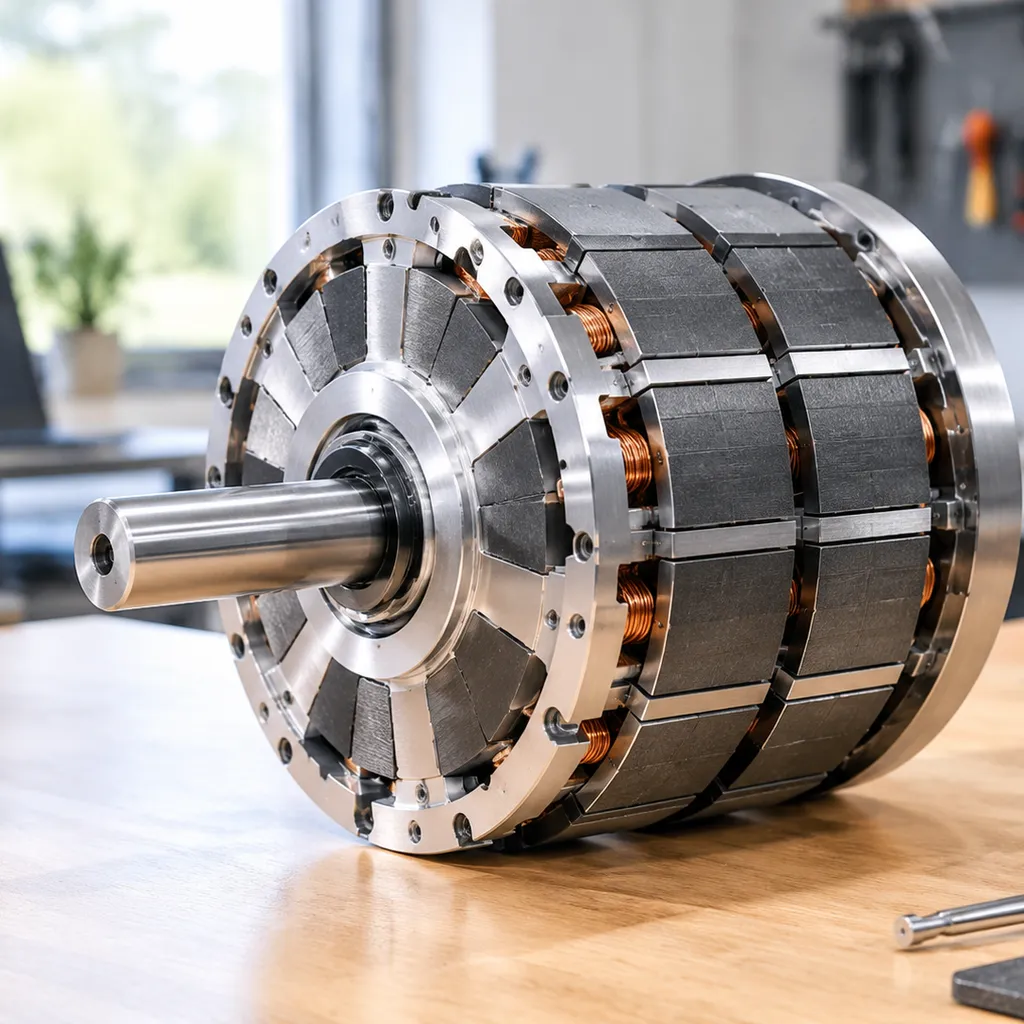
A Gauss meter can detect weak or uneven magnetic fields in rotors, stators, or permanent magnets. This is a quick way to check if components are wearing out or if repairs are needed, especially for motors in pumps, HVAC units, and industrial machines.
Checking Magnetic Shielding Effectiveness
Electronics, medical devices, and aerospace systems often use magnetic shielding. A Gauss meter measures whether the shielding is truly blocking or reducing electromagnetic interference, which is key for meeting compliance standards.
Quality Control for Magnetic Assemblies
cURL Too many subrequests by single Worker invocation. To configure this limit, refer to https://developers.cloudflare.com/workers/wrangler/configuration/#limits
cURL Too many subrequests by single Worker invocation. To configure this limit, refer to https://developers.cloudflare.com/workers/wrangler/configuration/#limits
cURL Too many subrequests by single Worker invocation. To configure this limit, refer to https://developers.cloudflare.com/workers/wrangler/configuration/#limits
cURL Too many subrequests by single Worker invocation. To configure this limit, refer to https://developers.cloudflare.com/workers/wrangler/configuration/#limits
cURL Too many subrequests by single Worker invocation. To configure this limit, refer to https://developers.cloudflare.com/workers/wrangler/configuration/#limits
cURL Too many subrequests by single Worker invocation. To configure this limit, refer to https://developers.cloudflare.com/workers/wrangler/configuration/#limits
cURL Too many subrequests by single Worker invocation. To configure this limit, refer to https://developers.cloudflare.com/workers/wrangler/configuration/#limits
- cURL Too many subrequests by single Worker invocation. To configure this limit, refer to https://developers.cloudflare.com/workers/wrangler/configuration/#limits cURL Too many subrequests by single Worker invocation. To configure this limit, refer to https://developers.cloudflare.com/workers/wrangler/configuration/#limits
- cURL Too many subrequests by single Worker invocation. To configure this limit, refer to https://developers.cloudflare.com/workers/wrangler/configuration/#limits cURL Too many subrequests by single Worker invocation. To configure this limit, refer to https://developers.cloudflare.com/workers/wrangler/configuration/#limits
- cURL Too many subrequests by single Worker invocation. To configure this limit, refer to https://developers.cloudflare.com/workers/wrangler/configuration/#limits cURL Too many subrequests by single Worker invocation. To configure this limit, refer to https://developers.cloudflare.com/workers/wrangler/configuration/#limits
cURL Too many subrequests by single Worker invocation. To configure this limit, refer to https://developers.cloudflare.com/workers/wrangler/configuration/#limits
cURL Too many subrequests by single Worker invocation. To configure this limit, refer to https://developers.cloudflare.com/workers/wrangler/configuration/#limits
cURL Too many subrequests by single Worker invocation. To configure this limit, refer to https://developers.cloudflare.com/workers/wrangler/configuration/#limits
- cURL Too many subrequests by single Worker invocation. To configure this limit, refer to https://developers.cloudflare.com/workers/wrangler/configuration/#limits
- cURL Too many subrequests by single Worker invocation. To configure this limit, refer to https://developers.cloudflare.com/workers/wrangler/configuration/#limits
- cURL Too many subrequests by single Worker invocation. To configure this limit, refer to https://developers.cloudflare.com/workers/wrangler/configuration/#limits
cURL Too many subrequests by single Worker invocation. To configure this limit, refer to https://developers.cloudflare.com/workers/wrangler/configuration/#limits
cURL Too many subrequests by single Worker invocation. To configure this limit, refer to https://developers.cloudflare.com/workers/wrangler/configuration/#limits
- cURL Too many subrequests by single Worker invocation. To configure this limit, refer to https://developers.cloudflare.com/workers/wrangler/configuration/#limits
- cURL Too many subrequests by single Worker invocation. To configure this limit, refer to https://developers.cloudflare.com/workers/wrangler/configuration/#limits
- cURL Too many subrequests by single Worker invocation. To configure this limit, refer to https://developers.cloudflare.com/workers/wrangler/configuration/#limits
cURL Too many subrequests by single Worker invocation. To configure this limit, refer to https://developers.cloudflare.com/workers/wrangler/configuration/#limits
Most meters need recalibration to stay reliable:
- Follow the manufacturer’s recommended interval (often annually).
- Send it to an authorized service center or use a certified reference magnet if the device supports user calibration.
- Recalibrate immediately if the meter was dropped, exposed to extreme heat, or stored near strong magnets.
Maintenance and Care for Your Gauss Meter
Keeping your Gauss meter in good shape ensures accurate magnetic field measurements for years. Here’s how I take care of mine:
Cleaning the Probes and Device
- Always power off the meter before cleaning.
- Use a soft, lint-free cloth slightly dampened with water or a mild electronics-safe cleaner.
- Avoid harsh chemicals or soaking the probe—moisture can damage sensors.
- If the probe comes into contact with metal dust or filings, wipe it clean immediately to prevent signal interference.
Battery Maintenance Tips
- Rechargeable models: Keep the battery between 20–80% to extend lifespan.
- Non-rechargeable models: Remove batteries if you won’t use the meter for a long time to prevent leakage.
- Store batteries in a cool, dry place—heat shortens battery life.
Firmware Updates
For digital Gauss meters with software, check the manufacturer’s site for firmware updates. These can improve measurement accuracy, add features, or fix bugs. Follow the provided update instructions carefully.
Keeping Readings Accurate Over Time
- Schedule a calibration check at least once a year, or more often if you use it daily in high-demand work.
- Store the meter in a protective case, away from magnets or strong EMF sources.
- Avoid dropping the device—shocks can misalign its sensing components.
Γιατί να επιλέξετε την NBAEM για τις ανάγκες σας σε μαγνητικά Υλικά
If you’re working with magnetic field testing tools like a Gauss meter, the quality of your magnetic materials matters. NBAEM is a trusted supplier for many U.S. engineers, labs, and manufacturers because their products are consistent, accurate, and tested for performance.
Expertise and Quality
- Εξειδικευμένα υλικά μαγνητικά – From neodymium magnets to custom assemblies.
- Consistent magnetic strength – Critical for precise Gauss meter readings.
- Αυστης ποιότητας έλεγχος – Each batch is inspected to meet industrial and lab standards.
Compatibility with Magnetic Measurements
NBAEM materials are engineered to work seamlessly with handheld magnetometers and other magnetic field measurement tools. That means:
- Stable magnetic flux density over time.
- Minimal variance between units.
- Reliable results across Tesla and Gauss units.
Εξυπηρέτηση Πελατών και Υποστήριξη
U.S. customers get:
- Fast order processing and reliable shipping.
- Technical support for choosing the right material for your application.
- Customization options cURL Too many subrequests by single Worker invocation. To configure this limit, refer to https://developers.cloudflare.com/workers/wrangler/configuration/#limits
| cURL Too many subrequests by single Worker invocation. To configure this limit, refer to https://developers.cloudflare.com/workers/wrangler/configuration/#limits | cURL Too many subrequests by single Worker invocation. To configure this limit, refer to https://developers.cloudflare.com/workers/wrangler/configuration/#limits |
|---|---|
| cURL Too many subrequests by single Worker invocation. To configure this limit, refer to https://developers.cloudflare.com/workers/wrangler/configuration/#limits | cURL Too many subrequests by single Worker invocation. To configure this limit, refer to https://developers.cloudflare.com/workers/wrangler/configuration/#limits |
| cURL Too many subrequests by single Worker invocation. To configure this limit, refer to https://developers.cloudflare.com/workers/wrangler/configuration/#limits | cURL Too many subrequests by single Worker invocation. To configure this limit, refer to https://developers.cloudflare.com/workers/wrangler/configuration/#limits |
| cURL Too many subrequests by single Worker invocation. To configure this limit, refer to https://developers.cloudflare.com/workers/wrangler/configuration/#limits | cURL Too many subrequests by single Worker invocation. To configure this limit, refer to https://developers.cloudflare.com/workers/wrangler/configuration/#limits |
| cURL Too many subrequests by single Worker invocation. To configure this limit, refer to https://developers.cloudflare.com/workers/wrangler/configuration/#limits | cURL Too many subrequests by single Worker invocation. To configure this limit, refer to https://developers.cloudflare.com/workers/wrangler/configuration/#limits |
cURL Too many subrequests by single Worker invocation. To configure this limit, refer to https://developers.cloudflare.com/workers/wrangler/configuration/#limits

 Greek
Greek  English
  German
  Vietnamese
  Spanish (Mexico)
  Russian
  Turkish
  Polish
  Hindi
Hindi  Thai
Thai  Malay
Malay  Korean
  Japanese
  French
  Czech
Czech  Danish
  Dutch
Dutch  Finnish
  Italian
  Portuguese (Brazil)
  Portuguese (Portugal)
  Slovenian
  Ukrainian
  Hebrew
  Scottish Gaelic
  Hungarian
  Tagalog
  Spanish (Spain)
  Serbian
  Indonesian
  Slovak
  Dutch (Belgium)
  Persian
  Arabic
  Romanian
  Estonian
  Bulgarian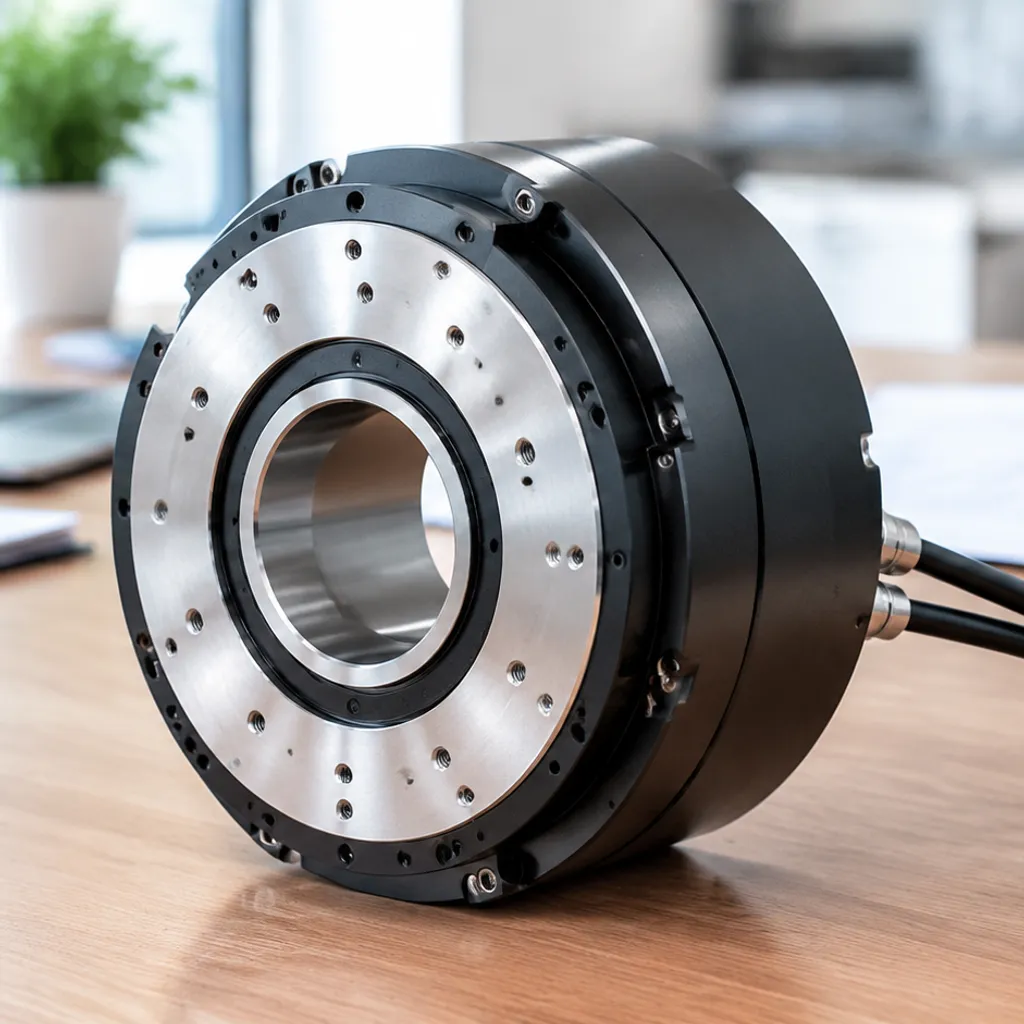

Αφήστε ένα σχόλιο